How to Set Up Meta Ads MCP for Any AI Agent
Connect Meta Ads to Claude, Claude Code, Cursor, or ChatGPT using Pipeboard's MCP server. No coding required — 2 minute setup, OAuth secured, 60+ tools for campaign analysis and management.

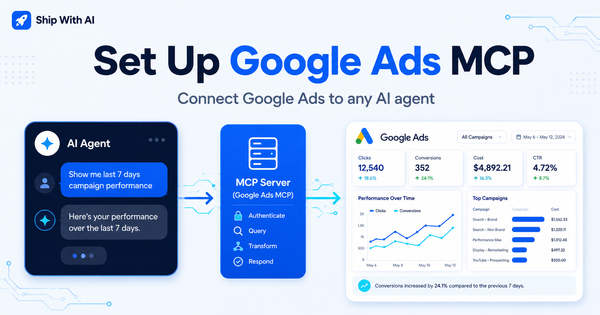
After setting up the Google Ads MCP server, the next thing I wanted to test was connecting an AI agent to Meta Ads. The use case is the same: instead of logging into Ads Manager and clicking through dashboards, I want to ask questions like:
Which campaigns had the best ROAS this week?
or:
Show me my top spending ad sets from the last 7 days.
The tool I ended up using is Pipeboard — a hosted MCP server that connects Meta Ads (and Google, TikTok, Snap Ads) to any MCP-compatible AI client. Setup takes about 2 minutes, no coding required, and authentication is handled via OAuth so you never paste a token into a config file.
What you are building
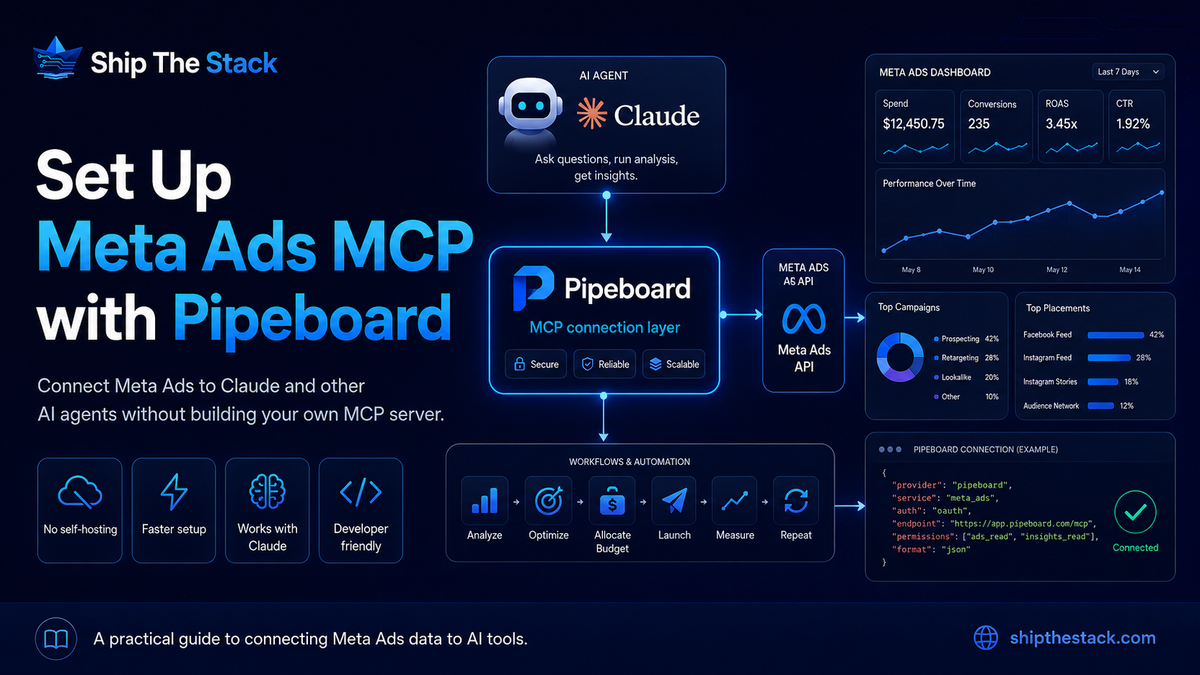
You are setting up this flow:
AI Agent (Claude, Cursor, ChatGPT, etc.)
   ↓
Pipeboard MCP Server
   ↓
Meta Marketing API
   ↓
Your Meta Ads account data
Once connected, your AI agent can query campaigns, ad sets, ads, and performance metrics directly through natural conversation. No manual CSV exports, no custom API scripts.
What Pipeboard can do
Pipeboard exposes 60+ tools for Meta Ads including:
Campaign analysis and performance reporting
Budget optimization recommendations
Creative performance insights (including image analysis)
Audience targeting analysis
Multi-account management
Duplicate campaigns, update budgets, create ads
Unlike read-only setups, Pipeboard also supports write operations — so you can create campaigns, update budgets, and duplicate ad sets directly from your AI client.
Pipeboard is a badged Meta Business Partner, which means Meta has verified their business, API compliance, and performance standards. Your credentials are never stored — all authentication uses standard OAuth 2.0.
Prerequisites
1. A Meta Ads account
2. A Pipeboard account (free plan available at pipeboard.co)
3. An MCP-compatible AI client
Step 1: Sign up for Pipeboard and connect your Meta Ads account
Go to pipeboard.co/auth/signup and create a free account. From your Pipeboard dashboard, connect your Meta Ads account through the OAuth flow. Pipeboard handles token management — you do not need to generate or manage any API keys yourself.
Step 2: Add the MCP server to your AI client
The Meta Ads MCP server URL is:
https://meta-ads.mcp.pipeboard.co/Here is how to add it to each AI client.
Claude Pro / Max (claude.ai)
- Go to claude.ai/customize/connectors
- Add a custom connector with the URL:
https://meta-ads.mcp.pipeboard.co/ - Press Connect
- OAuth authentication is handled in the browser on first use
Claude Code
Run this in your terminal:
claude mcp add --transport http pipeboard-meta-ads https://meta-ads.mcp.pipeboard.co/Then start Claude Code and type /mcp to authenticate with Pipeboard.
Cursor
Add this block to ~/.cursor/mcp.json (global) or your project's .cursor/mcp.json. Restart Cursor after saving.
{
  "mcpServers": {
    "meta-ads": { "url": "https://meta-ads.mcp.pipeboard.co/" }
  }
}
OAuth is handled in the browser on first call — no token needed in the config.
ChatGPT
Enable Developer mode in Settings → Apps → Advanced, then add the MCP URL. See the full ChatGPT guide on Pipeboard for step-by-step instructions.
Other MCP clients
Any MCP-compatible AI client works. Just add the URL https://meta-ads.mcp.pipeboard.co/ to your MCP server config. Authentication is handled via OAuth on the first connection.
Step 3: Test it
Once connected, start with:
Show me my top performing campaignsThen try more specific questions:
Which campaigns are spending the most but getting poor results?Show me my ad sets sorted by cost per result for the last 30 days.What is the frequency on my retargeting campaigns this month?Which audiences are converting best?What I would use this for
The main use cases I find valuable:
Weekly performance summaries across campaigns
Finding high-spend low-ROAS ad sets quickly
Comparing creative performance by click-through rate
Checking budget pacing across accounts
Reallocating budget based on AI recommendations
Because you can ask in natural language, you skip the step of manually building reports in Ads Manager. You just ask what you want to know.
For example, Pipeboard's AI can respond to something like:
How should I reallocate my budget for better ROI?And give you a breakdown like: increase budget on your best ROAS campaigns, reduce spend on underperformers, with a projected improvement in overall ROAS. That kind of analysis used to take an hour in spreadsheets.
Bonus: Pipeboard also works for Google, TikTok, and Snap Ads
You can connect multiple platforms at once. Here is the full config for all four:
{
  "mcpServers": {
    "meta-ads": { "url": "https://meta-ads.mcp.pipeboard.co/" },
    "google-ads": { "url": "https://google-ads.mcp.pipeboard.co/" },
    "tiktok-ads": { "url": "https://tiktok-ads.mcp.pipeboard.co/" },
    "snap-ads": { "url": "https://snap-ads.mcp.pipeboard.co/" }
  }
}
With all four connected, you can ask cross-platform questions like:
Compare my Meta and Google Ads ROAS for the last 14 days.No MCP setup? Try AI Reports
If you are not ready to set up MCP yet, Pipeboard also offers AI Reports — scheduled email reports on campaign performance, budget allocation, and creative analysis. Daily or weekly, delivered to your inbox. No config required.
Common issues
OAuth not completing
Make sure you are logged into the correct Pipeboard account in your browser when the OAuth window opens. If the connection fails, try disconnecting and reconnecting from your Pipeboard dashboard.
No ad accounts showing
Check that you connected the correct Meta Business Manager account in Pipeboard. If you manage multiple accounts, you may need to grant access to each one separately from the Pipeboard dashboard.
Permission errors on write operations
Write operations like creating campaigns or updating budgets require the ads_management permission on your connected Meta account. If you only have read access, Pipeboard will still work for all analysis and reporting — just not for making changes.
Final thoughts
Connecting Meta Ads to an AI agent follows the same pattern as Google Ads, but the Pipeboard setup is even simpler — no token management, no headers to configure, just add the URL and authenticate via OAuth.
The biggest shift is moving from pull to push in your reporting workflow. Instead of opening Ads Manager every morning and building the same tables, you ask one question and get the answer directly in your AI client.
For my own workflow, I use this alongside the Google Ads MCP to get a cross-platform view of paid performance without switching between dashboards.
If you set this up, the first prompt worth running is:
Show me my top performing campaignsThen go from there.